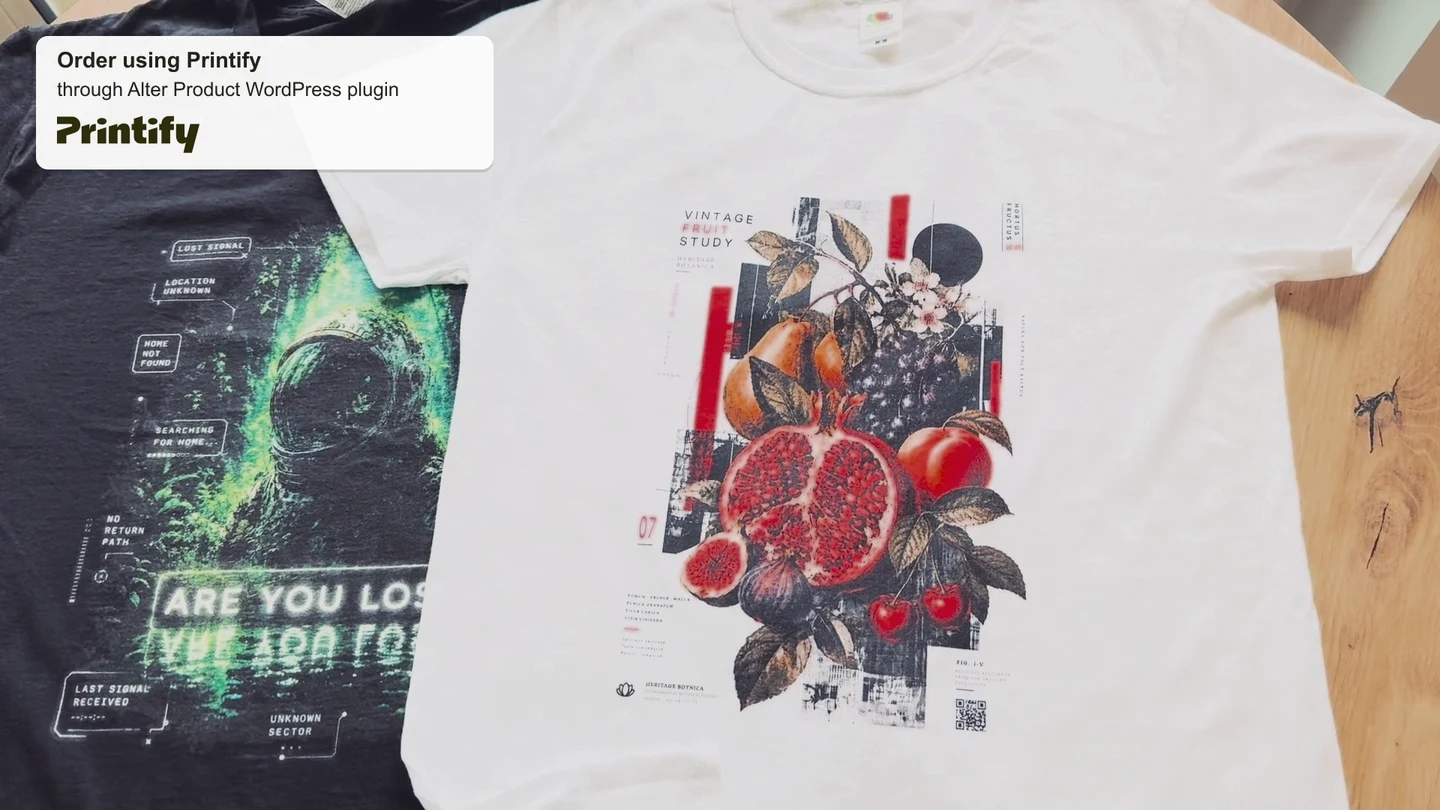
Prepare products faster
Start with a model template, adapt the design and generate mockups. Reuse the same material in future designs and variants.
From a product idea to your first orders
Start selling personalized products faster and at a lower cost while offering customers an engaging 3D experience. Let them rotate the product, change colors and prints, and immediately see their personalization on the 3D model.
Create models, design directly in 3D, and prepare mockups and production files in one environment. The ready-made WordPress + WooCommerce plugin shortens integration time, while templates and reusable designs reduce the time and cost of preparing future collections.
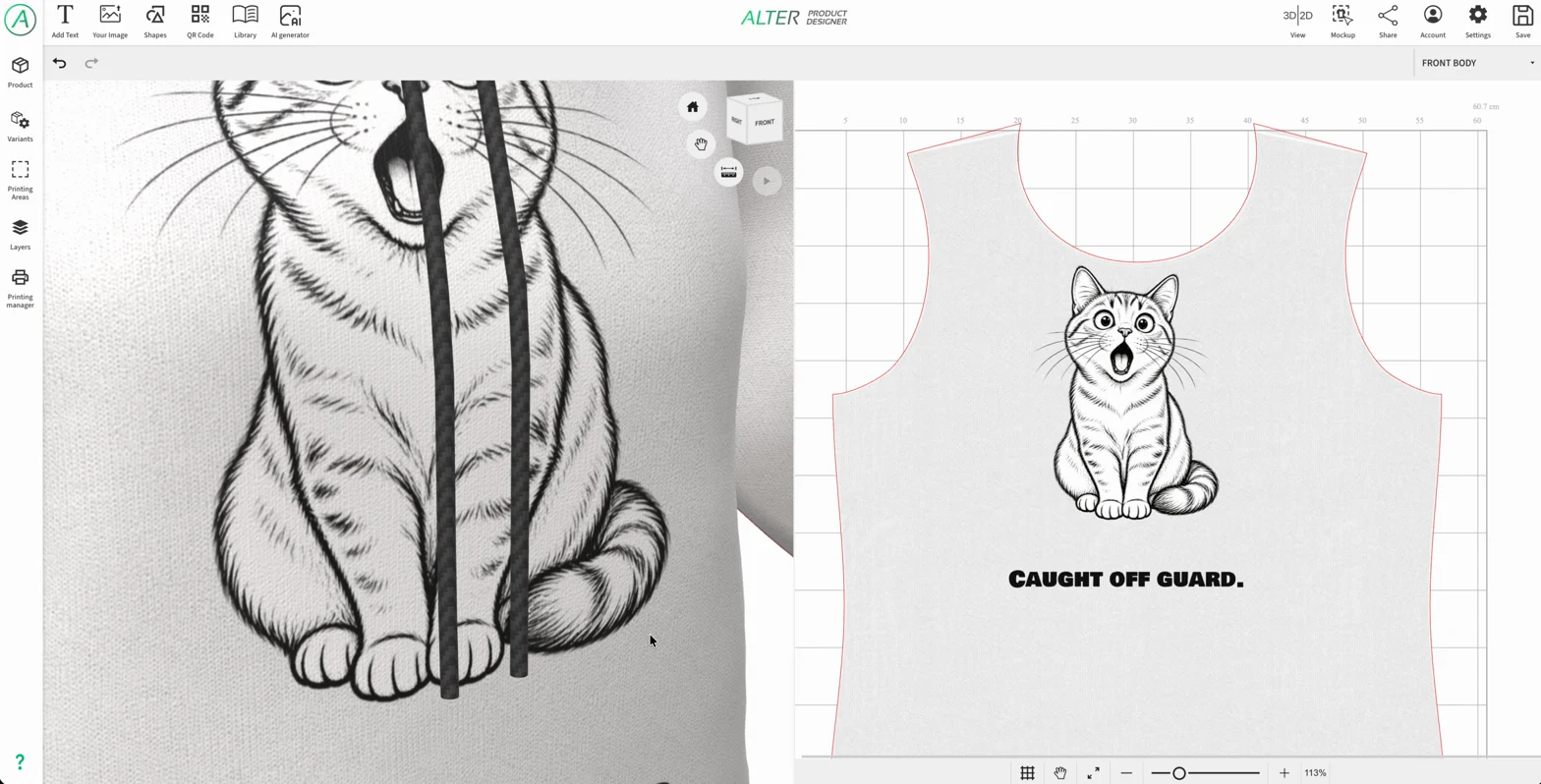
The illustrations show the real interface and products prepared using Alter Product. Button labels in the images are in English.
A ready-made workflow reduces the number of stages you need to design and connect yourself. You can focus on your range, its presentation and the customer experience.
You get tools for preparing and selling products that already work together. Savings start at launch and grow as you reuse models, graphics and settings.
Start with a model template, adapt the design and generate mockups. Reuse the same material in future designs and variants.
The plugin connects the tools to WooCommerce products, variations, cart and orders. You configure a typical setup in the dashboard.
Work with the design saved with the order. Download print files or prepare fulfillment through your connected POD provider.
Separate the subscription from hosting, AI and production costs. Choose a package based on store traffic and tool usage.
For WordPress with WooCommerce active, you can use Auto Connect and the prepared setup screens. Implementation time depends on how ready your store and product are and on the scope of personalization; the ready-made integration reduces the work of connecting the tools themselves.
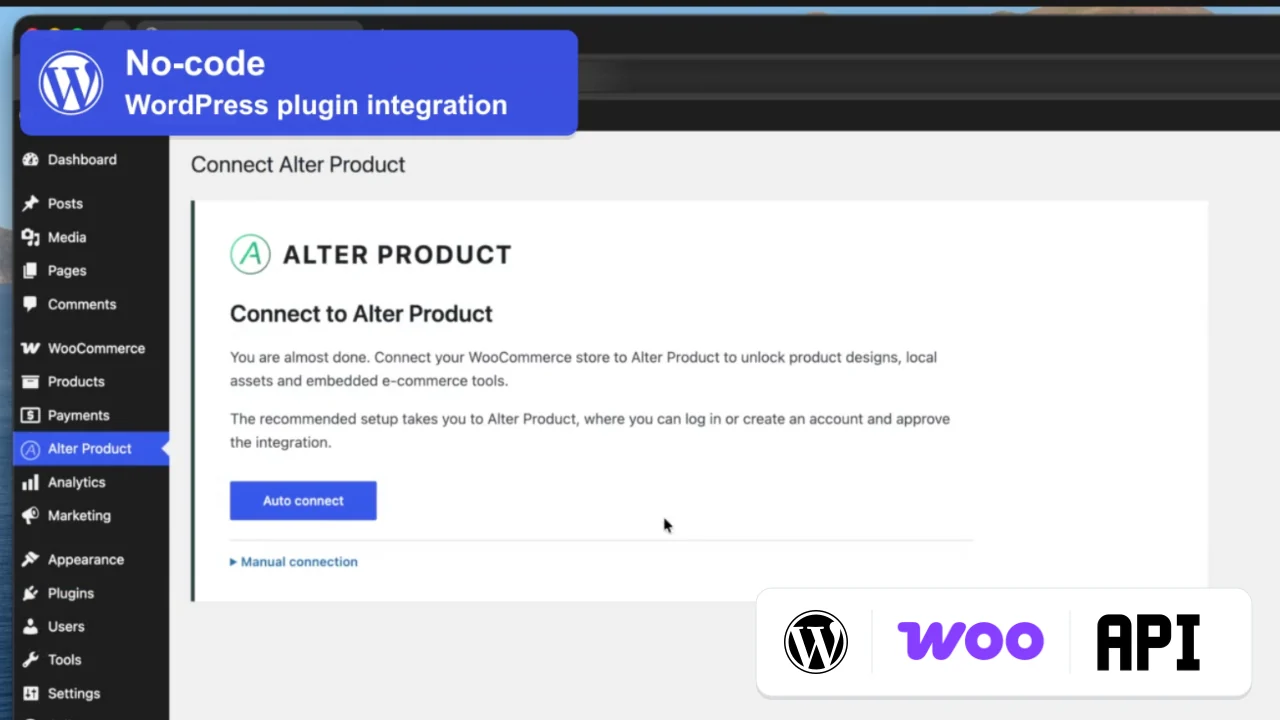
Product Generator, Designer, Customizer and the WordPress plugin support 22 language versions. Ready-made interface translations make it easier to start selling in new markets and let customers use personalization tools in a language they know.
Available languages: English, Arabic, Chinese (Simplified), Czech, Danish, French, Greek, Hindi, Spanish, Japanese, Dutch, German, Norwegian (Bokmål), Polish, Portuguese (Brazil), Portuguese (Portugal), Russian, Romanian, Swedish, Turkish, Ukrainian and Italian.
Being able to prepare products yourself shortens the path from an idea to testing your offer and reduces reliance on successive outsourced stages.
Product Generator lets you start with a ready-made template and adjust dimensions faster with Easy Creator. When you need more control, work directly with patterns, seams, sizes, materials and textures.
Physics simulation helps you check how fabric drapes, how pieces are sewn and how the model behaves on a mannequin, including during animation. You carry out this preparation process for supported products in Alter Product, without having to move work between additional 3D programs.
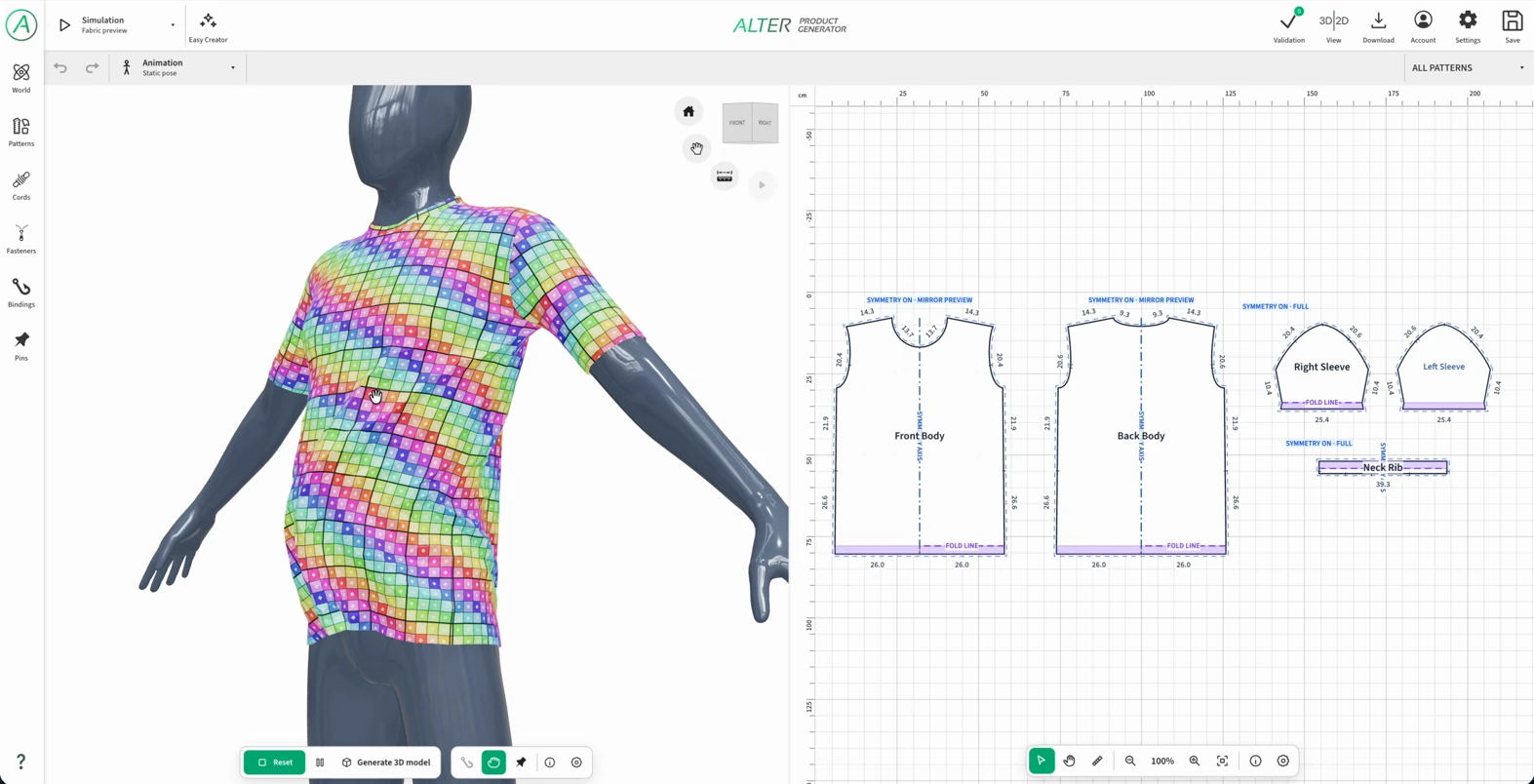
Creating models in Product Generator is also available in Personal FREE, within its limits. You can prepare and test a product before choosing a plan for embedding tools in your store. Embedding requires Business or a higher plan that includes this feature.
Reuse the model in subsequent designs, change prints and color variants, and use prepared mockup generators to create consistent views of your range. With supported models, you can also prepare AOP designs and sewing patterns for the sizes you have developed.
With the WordPress plugin, materials added to the local library, local projects and order files stay on your store's hosting. It is a foundation you develop at your own pace.
Adding materials to your own library on the WordPress server does not require buying extra space in Alter Product Storage. You use the capacity and resources of your hosting service and reuse prepared materials in your designs.
| Module | What you prepare and reuse |
|---|---|
| Assets | Models and model templates, mannequins, graphics, fonts, design templates, mockups, textures, backgrounds, logos and 3D environments. Available upload and import options depend on the asset type. |
| Model Generator | Your own local 3D model projects, their subsequent versions and related materials. |
| Product designs / Designer | Designs, variants and print settings linked to your store's range. |
| WooCommerce orders | Saved customer designs, previews and files used for fulfillment. |
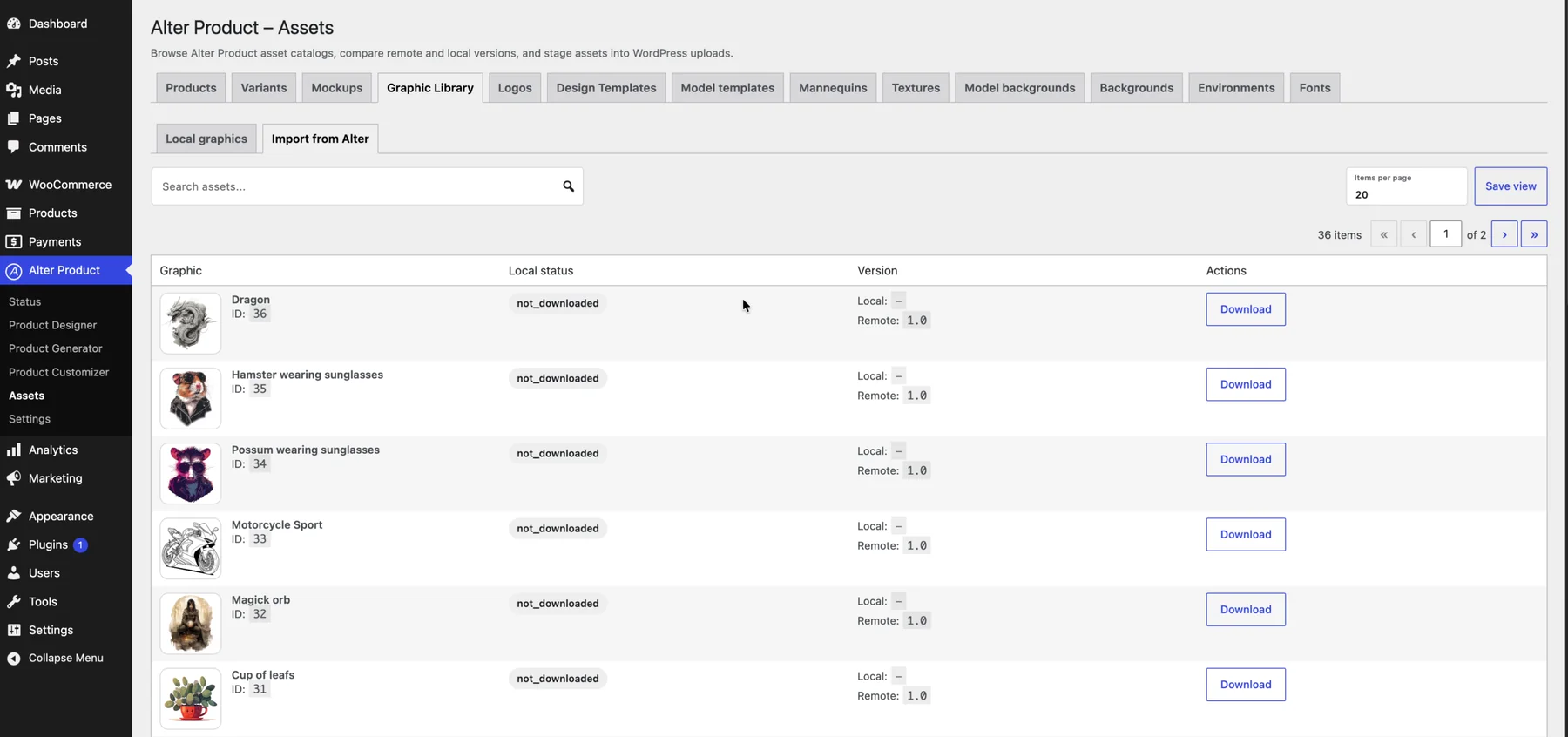
The local library belongs to your store and is not published in the public Alter Product catalog. You manage it from the owner's dashboard: choose the designs assigned to products, customer tools and available personalization materials. Publishing your offer makes the files needed to display it available to customers.
You decide how many local orders to keep in your WordPress installation and for how long, according to your store's needs and your hosting capacity.
Organize product work using WordPress accounts and permissions. Connecting the store to Alter Product supports a shared process for preparing your range.
Administrators with the appropriate WordPress permissions can use the plugin dashboard and work on local assets and projects. Each employee uses their own WordPress account, and you grant access through store administration.
You do not need to buy a separate Alter Product subscription for each administrator simply to manage the same connected store. When your team starts embedded editors, those launches use the store's shared session quota.
Use external services when you need them. Your own connections make it easier to control spending on graphics, production and delivery.
Connect your own OpenAI or Google Gemini API key. You do not buy AI credit packages from Alter Product. Model usage is billed to your account with the chosen provider, under its terms.
In the WordPress plugin, you choose the model, decide when to generate or enhance graphics, and control the budget with your provider. You can reuse finished materials in designs instead of generating them every time. The administrator's AI connection is for work in the owner's dashboard.

Connect your own POD provider account using a key or token in the plugin settings. Alter Product does not charge an additional commission for this connection or for handling a submitted order. You pay for the product, printing, delivery and any provider services according to the provider's offer.


The subscription lets you plan a fixed tool cost and select a package that fits your store's scale. When planning, distinguish the number of local projects, Customizer limits and monthly session usage.
In the plugin, there is no separate Alter Product quantity limit on local 3D Model Generator and Designer projects or active Viewers and Configurators. You can expand your range using your own hosting. Running embedded tools still requires a suitable plan and available sessions.
| Area | How to plan usage |
|---|---|
| Local Generator and Designer projects | No separate limit on the number of local projects. Allow for file space, the database and hosting performance. |
| Viewer and Configurator | No separate limit on the number of active tools. Launching them uses embedding sessions. |
| Customizer | The plan's active Customizer limit and activation or reassignment limit apply, along with embedding sessions. |
| Embedding sessions | The store's shared monthly quota includes customers and launches of embedded editors in the dashboard. |
| Alter Product Storage | Projects stored in the Alter Product service have their own plan limits. They should not be confused with the local WordPress library. |
A session is counted when a new token is successfully issued to launch a tool. Rotating the model or changing its color in an open tool does not itself mean another session. This lets you compare the subscription cost with expected launches instead of adding an Alter Product commission to every order.
Include team activity, reopening tools and refreshing pages. Viewer and Configurator usually need a new token after a full refresh, while Customizer can reuse a valid session in the same tab if its context still matches. Once the quota is used up, no new sessions are issued - choose a plan option with enough headroom.
Start with the tools you need to launch your range and expand your setup as sales grow. Choose your Alter Product plan, hosting and the services you want to use. The ready-made integration and reusable materials help reduce the time and cost of subsequent launches.
Final costs depend on providers, selected packages and how you use the store. When comparing offers, also consider service renewals, hosting capacity and the needs of your collection.
| Area | What you choose to suit your needs |
|---|---|
| Alter Product subscription | Choose the features and session package that match your store's scale. Find current options and terms on the pricing page. |
| WordPress hosting | Choose space for assets and orders, performance, bandwidth and backups. If your current hosting has enough resources, you can also use it for the Alter Product integration. |
| Domain and HTTPS (SSL/TLS) | Allow for your own store address and its renewal. Embedding tools requires a site accessible over HTTPS with a valid SSL/TLS certificate. The certificate may be included in your hosting package or offered separately. |
| AI with your own key | Use AI when you need new graphics. Usage is billed to your own provider account, without buying credits from Alter Product. |
| Production and shipping | Choose your own fulfillment or a POD provider. The cost depends on the product, print and delivery; Alter Product does not add an extra order handling fee. |
| Payments and additional services | Choose a payment processor, extensions and any implementation support according to your store's needs. |
Create attractive pricing options for your customers. Vary prices by color, size, material and printing method, and set surcharges for print areas used, such as the front and back of a product. This lets you offer a competitive base price and price additional personalization according to the scope of the order.
In WooCommerce, you set product and variation prices; in the plugin, you add optional surcharges for individual print areas. The cart takes used areas into account based on the customer's saved design. For pricing directly in Alter Product, use Designer's price tables for model, size, material, printing method, color and personalization areas.
You learn the most by following the whole journey with a real offer: from preparing the model to a production file and a test order.
If you have not used a trial before, you can test your chosen paid plan free for 14 days. You get all its features, with the same limits as a paid subscription. You test exactly the capabilities you will receive after the trial ends.
Choose an option that matches what you want to test, and check the trial and subsequent billing terms before activating it. To test embedding in your store, you need a plan that includes this feature. AI usage on your own account and orders with a POD provider are billed separately during the trial as well.